


How to Use a Fiber Laser Engraving Machine?
A fiber laser engraver is widely used by beginners, hobbyists, and small businesses to mark metal items such as nameplates, jewelry, tools, and gifts. Even if you’ve never used a laser machine before, the basic operation is simple. Once you understand the workflow, you can start engraving quickly and easily.
Getting the Machine Ready
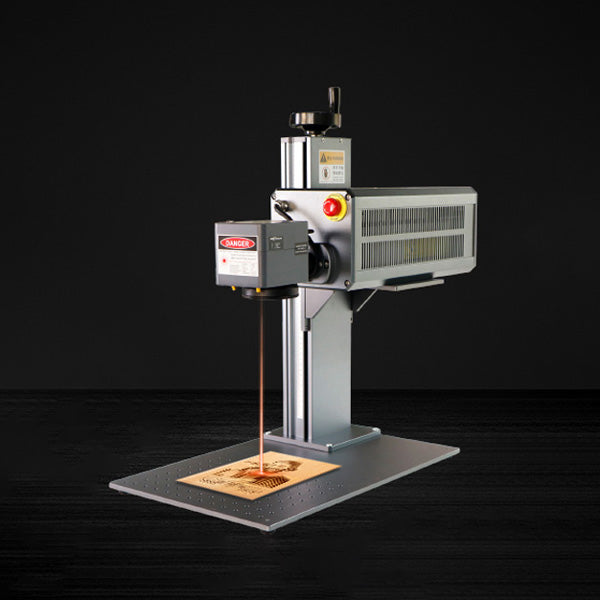
Before you start, place the fiber laser engraving machine on a stable table and connect it to your computer. Turn it on and open the marking software, then import your design—this could be text, a logo, or a simple image. Adjusting the focus is an important step: use the machine’s Z-axis adjustment to set the correct focus. When the focus is right, your engraving lines will be sharp and clear instead of blurry.

Starting Your First Engraving
Once your design is in position, adjust a few basic settings such as speed and power. These depend on the material you’re engraving, but most machines provide recommended settings for beginners. The fiber laser engraver works without touching the surface, so engraving is fast and clean. When everything looks ready, simply click start and watch your design come to life.
Using It Safely and Smoothly
For everyday use, follow a few simple safety habits. Always wear laser safety glasses and keep reflective objects away from the work area. Regularly clean the lens to maintain consistent engraving quality. With a little practice, a fiber laser engraving machine can become a convenient and reliable tool for personal projects and small custom orders.